01 · PUSH
Send your page with one line.
Type one short command in your terminal, or just tell your AI coding assistant (Claude Code, Cursor, Codex) to do it. Your HTML file becomes a live link in seconds.
One command turns any HTML file or mockup into a link you can send. Whoever opens it sees the real page in their browser, taps whatever looks off, and leaves notes pinned right where they mean them. No download, no account for them.
A real share, opened from a text: the page is live at a link and every note lands stuck to the exact element.
Peekable is the fastest way to get feedback on a page or mockup you just built. Send one link. The other person opens it and marks up exactly what to change, right on the page. No screenshots, no zip files, no scheduling a call.
You don't deploy anything or set up a server. If you can run one command, or ask your AI coding assistant to do it for you, you can share.
Type one short command in your terminal, or just tell your AI coding assistant (Claude Code, Cursor, Codex) to do it. Your HTML file becomes a live link in seconds.
Text it, email it, drop it in Slack. Whoever opens it sees the real page in their own browser. Nothing to install, no account to create.
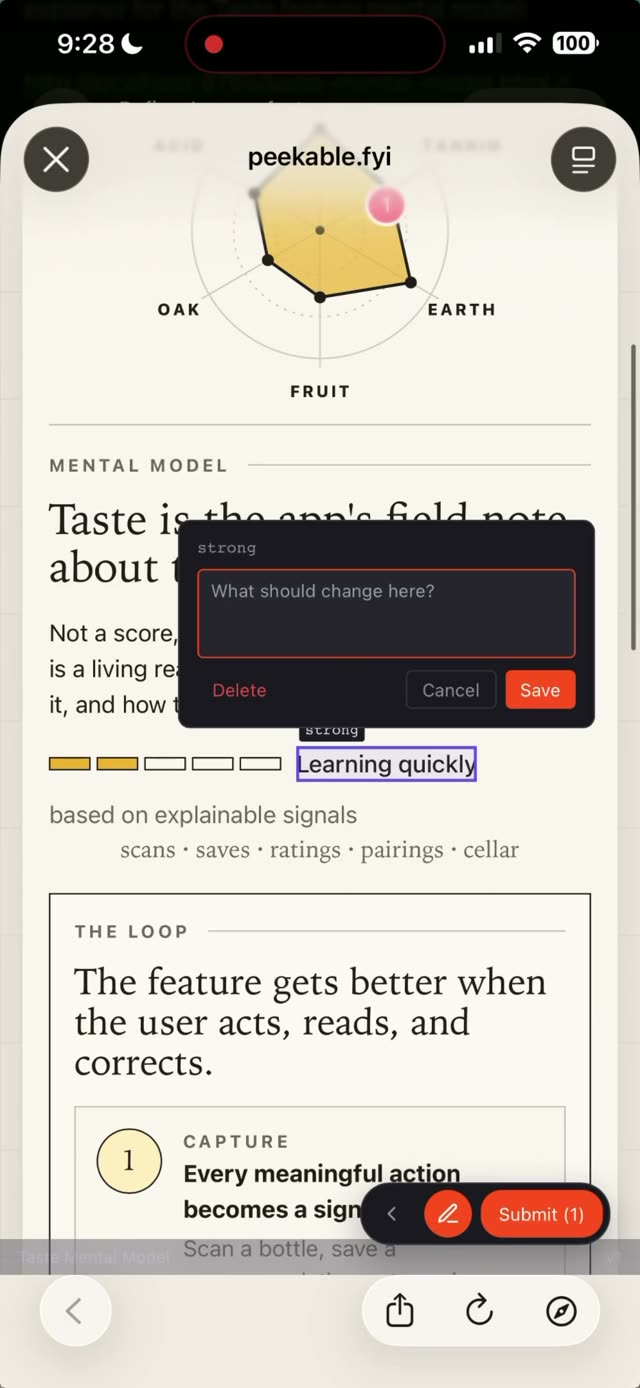
They tap whatever looks off and type what they mean. Each note comes back stuck to the exact spot, as a tidy list you can work straight through.
Watch a real share: the page goes live at a link, someone opens it on their phone, and their notes land back attached to the exact things they tapped.
Tap what looks off, type a note, and it comes back with the exact spot on the page attached.
Screenshots go stale and Slack threads get lost. A Peekable note stays attached to the real thing on the page, so nobody has to guess what "that button" meant.
Each comment carries the exact thing the person tapped, so a fix is obvious and nothing gets lost in translation.
However you work — solo with an AI, on a small team, or handing pages to a client — Peekable drops in without changing anything about how you build.
Your AI assistant builds a page on your computer. You look it over on your phone at lunch, mark a few things, and walk back to a fix already lined up.
Point at the real element on the real page and say exactly what should change. No more marking up a flat image that's already out of date.
They open it, tap what they want changed, and you get back a clear list. No "can we hop on a quick call," no notes scattered across email.
Whoever finds the problem taps the exact thing that's broken. You get the page, the version, and the element, so it's easy to reproduce and fix.
A short command to run, and a surprising amount packed behind the link.
“I build and support Peekable myself. No big team, no roadmap theater. If something’s off, you email me and a human answers, usually the same day.”
Alejandro · founder, Peekable
Enter your email and pay securely on Stripe. Your access code lands in your inbox in seconds and setup takes about two minutes — no waiting. Cancel anytime. Then share the next thing you build and watch the notes roll in.
We just emailed your invite and setup guide. Subject line: 'Your Peekable invite + 2-minute setup' (check spam if it's hiding).